Provide Taxually with the following information to complete your Onboarding
Required Information
We will need the following information from you:
- Kentucky Tax Account ID (9 digits)
- Validation Method
- Gross Receipts from most recently filed return (whole dollar amount)
- OR 10-digit PIN (New registrations without previously filed returns require PIN)
NOTE: If you're registered with the Consumer's Use Tax account, please email Taxually to confirm if we can support this for you
Step 1: Provide Tax Account ID
Sign in to the KY MyTaxes Portal. Need to create a MyTaxes account?: How to Create an Account
Under My Apps, click the MyTaxes tile
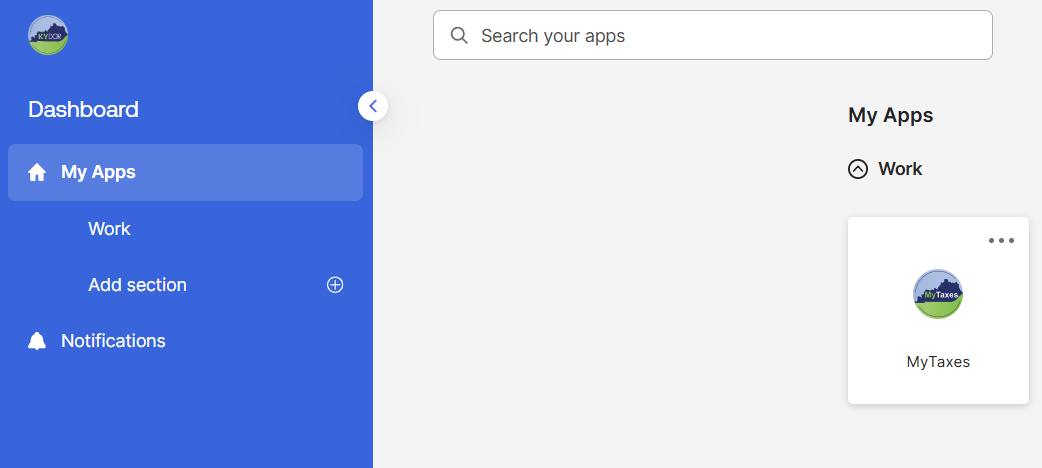
NOTE: If you don't have a Sales and Use Tax account linked to your login, follow the steps in this guide: How to Associate (Link) Accounts with PIN
Account Information:The home page of MyTaxes app will show the SALES AND USE TAX/SALES AND USE FILING Account Type and Account ID
Business Name: Confirm if the registered “Taxpayer Name” is the same as the legal business name you provided in the Business Details section for Taxually. If it is different, please provide Taxually with your registered KY Taxpayer (Business) Name.
Account ID (9-digit number)
Effective Date - please enter this as your Effective Registration Date (formatted as MM/DD/YYYY).
Account Status - please email and inform Taxually if your account is closed, as we may need to resolve this before continuing onboarding
Filing Frequency - reference the Filing Periods chart at the bottom of the Account Summary page to determine how often you file your tax returns.
Step 2: Validation Method: Gross Receipts from most recently filed return or 10-digit PIN
Account Validation: Choose one of these validation methods:
Option 1: Gross Receipts Amount (recommended if you've filed returns)
Provide the "Total Receipts" amount from line 1 of your most recently submitted return
To find this online:
Click the Transactions menu tab
Click File a Form
Account Type: Select your Sales and Use Tax account
Form Type: Select Sales and Use Tax Worksheet (note: this may vary by taxpayer)
Return Type: Select Amended Return
Period End Date: Select your most recent return period
Click Next
Reference Line 1 Total Receipts and provide the exact amount
Option 2: PIN (only if you haven't filed returns yet)
Use the 10-digit PIN that was mailed to you (it usually arrives after your registration confirmation documents) This is the same code you used to link your tax account to your Kentucky MyTaxes account.
Alternatively, Taxually can request for a new PIN to be mailed to you (if it is expired). If this is what you prefer, then you can leave PIN blank in onboarding. Once PIN is requested by Taxually, allow 8-10 business days for Kentucky to mail correspondence to you.
NOTE: PINs expire after 90 days. If you registered more than 90 days ago, a new PIN will be requested.
What happens next
Taxually will complete third party access using the information you provided OR will request a new PIN when needed.
Taxually will confirm if the access is successful or contact you if they require additional information.
Need help?
We are here to support you! Please contact us
Was this article helpful?
That’s Great!
Thank you for your feedback
Sorry! We couldn't be helpful
Thank you for your feedback
Feedback sent
We appreciate your effort and will try to fix the article