Follow this step-by-step guide to give Taxually Kft. the right to file electronically for your company in Denmark.
Which rights to grant
Grant each of the following rights to Taxually Kft.:
Moms – VAT
- EU-salg uden moms – EU Sales List
- Se skattekonto – See tax account
- Importspecifikation – Customs report
- Registreringsbevis – VAT certificate download
You can grant only one right at a time, so repeat steps 4–7 for each right.
Step-by-step guide
Step 1. Log in to your company's Danish tax account (TastSelv Erhverv) here.
Step 2. Go to Profile.
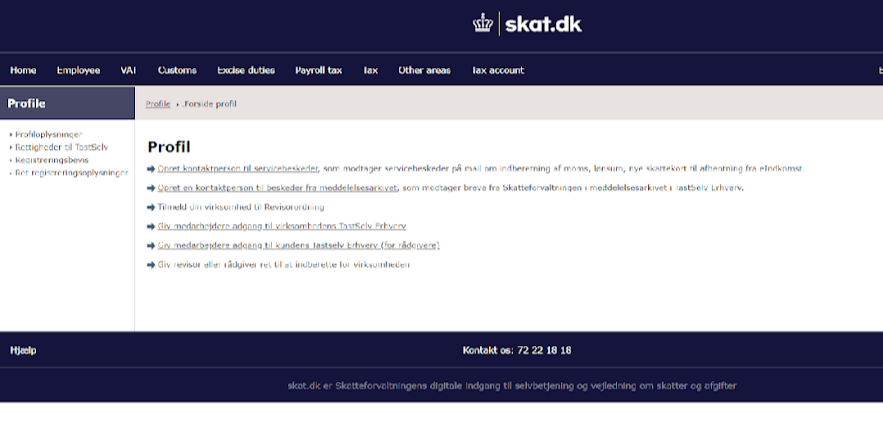
Step 3. In the left-hand menu, click Rettigheder til TastSelv, then Autoriser revisor m.fl.
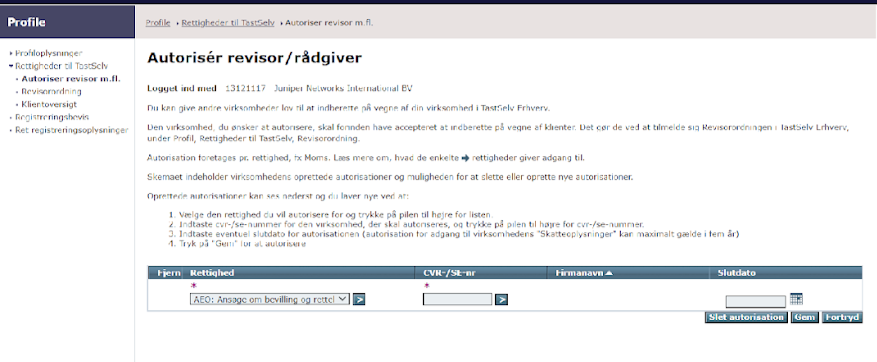
Step 4. Under Rettighed, choose the right you want to grant from the dropdown menu, then click the blue > button. You can grant only one right at a time.
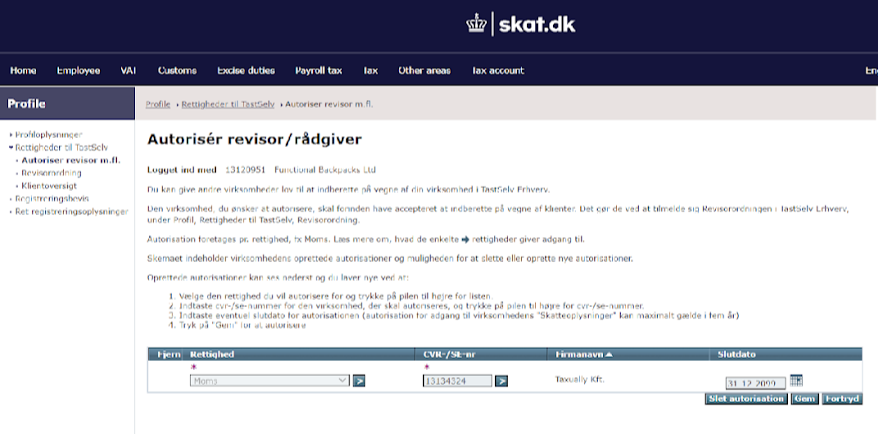
Step 5. Under CVR-/SE-nr, enter Taxually Kft.'s SE number, 13134324, then click the blue > button.
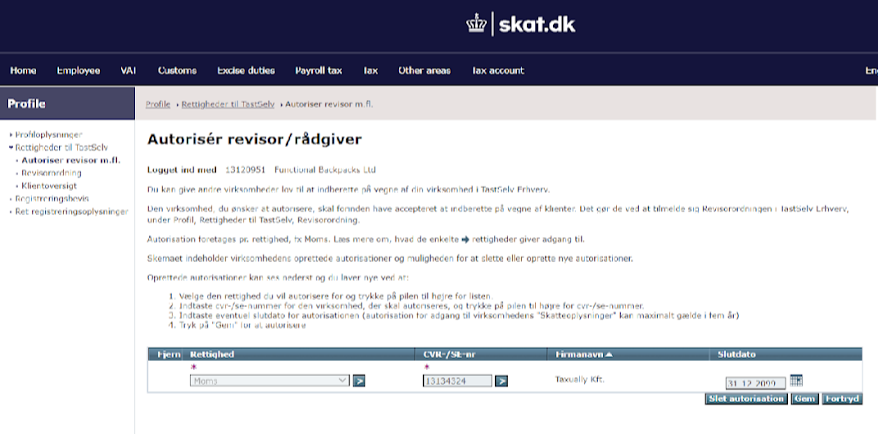
Step 6. The name Taxually Kft. will appear automatically. Under Slutdato, choose the date until which the authorisation is valid. The default date is 31-12-2099, which means the authorisation is valid until further notice.
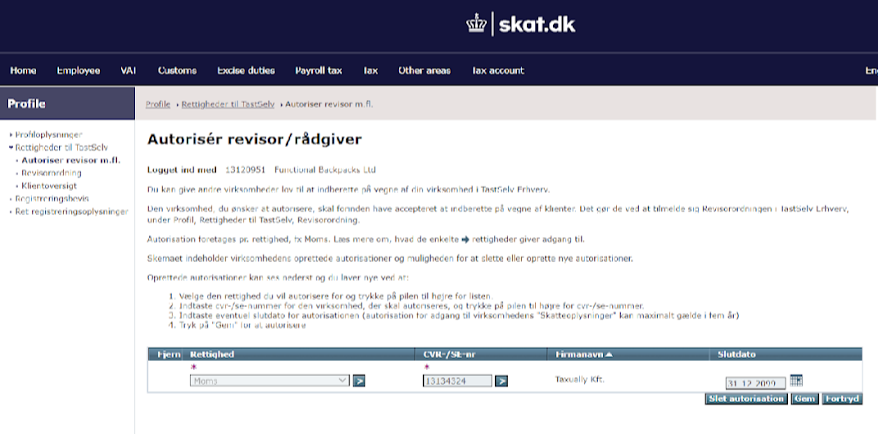
Step 7. Click Gem to save the authorisation.
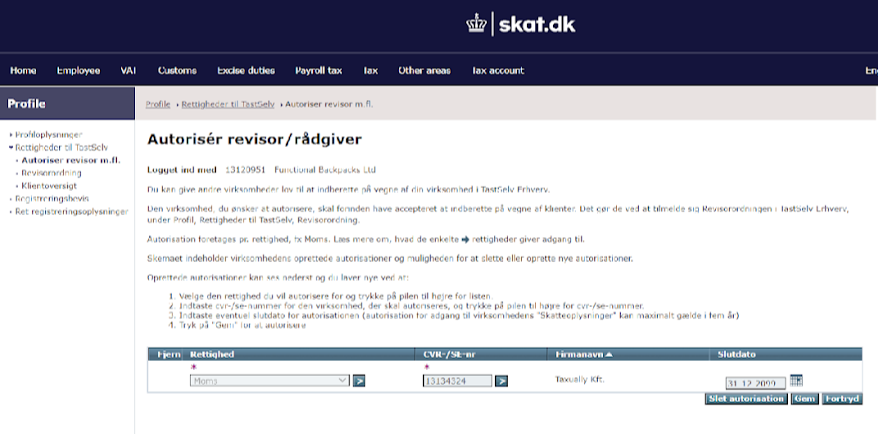
Step 8. You are done. The right you granted now appears in the list, and we can submit your VAT return.
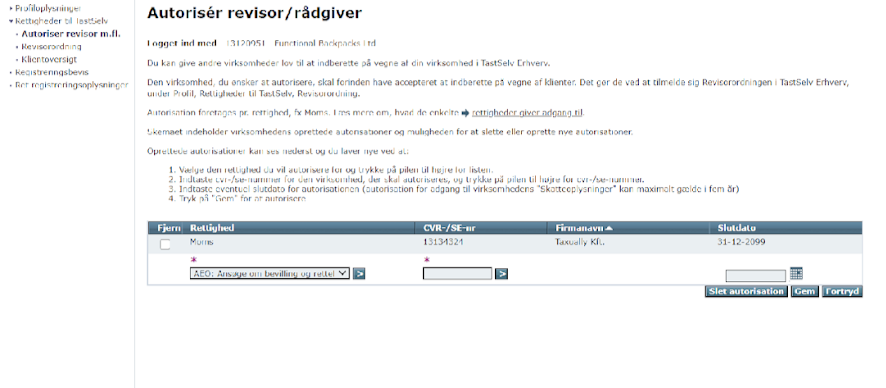
Tip: To grant more rights, repeat steps 4–7.
Was this article helpful?
That’s Great!
Thank you for your feedback
Sorry! We couldn't be helpful
Thank you for your feedback
Feedback sent
We appreciate your effort and will try to fix the article